UTM Parameters Explained: A Simple Guide to Tracking Campaigns
Learn what UTM parameters are, what source, medium, campaign, term and content mean, and how to use UTM tracking to understand where your marketing traffic comes from.
Someone visits your website and makes a purchase.
Great.
But where did that visitor come from?
Was it your Instagram bio?
A LinkedIn post?
An email newsletter?
A paid campaign?
A specific ad inside that campaign?
Knowing that traffic arrived isn’t enough if you want to understand which marketing activities generated it.
That’s where UTM parameters become useful.
They add structured campaign information to your links so analytics systems can better identify where traffic originated.
What Are UTM Parameters?
UTM parameters are pieces of tracking information added to the end of a URL.
A normal URL might look like:
A URL containing UTM parameters might look like:
Both URLs lead to the same page.
The second URL also carries information describing the marketing source, medium and campaign.
That information can then be used by compatible analytics systems to categorize traffic.
What Does UTM Mean?
UTM stands for Urchin Tracking Module.
The terminology has survived even though modern analytics platforms have evolved considerably.
Today, marketers commonly use UTM parameters as a standardized method for labeling campaign links.
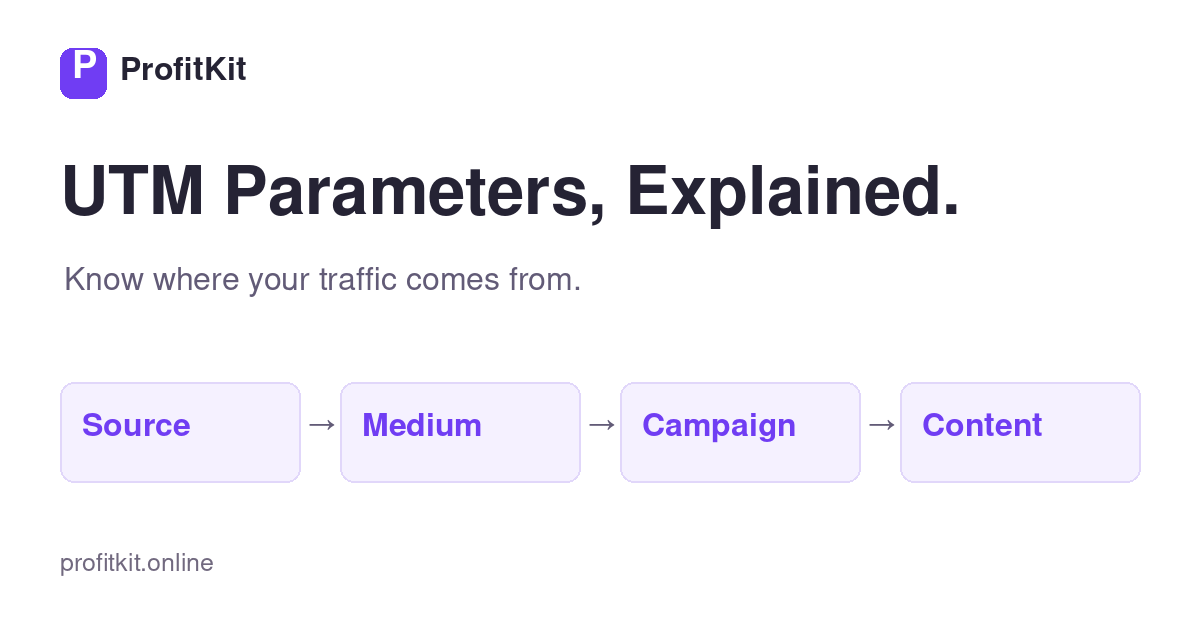
The five standard parameters are:
- utm_source
- utm_medium
- utm_campaign
- utm_term
- utm_content
The first three are the most commonly used for basic campaign tracking.
Let’s look at each one.
1. utm_source
utm_source identifies where the traffic is coming from.
Examples might include:
- newsletter
For example:
tells your analytics setup that you’ve labeled Instagram as the source of that visit.
A useful question when choosing the source is:
“Where did this visitor come from?”
2. utm_medium
utm_medium describes the marketing channel or type of traffic.
Examples could include:
- paid_social
- organic_social
- cpc
- affiliate
For example:
combined with:
provides more context.
Instagram tells you where.
Organic social tells you what type of marketing channel generated the visit.
3. utm_campaign
utm_campaign identifies the specific marketing campaign or initiative.
For example:
or:
This allows multiple sources to belong to the same broader campaign.
Imagine promoting the same launch through:
You could use different source values while keeping:
consistent across all three.
4. utm_term
utm_term can provide additional information when needed.
Historically, it has commonly been associated with paid-search keyword tracking.
Depending on your tracking convention, you may use it only when it provides useful information.
Example:
You don’t need to fill every UTM parameter simply because it exists.
Use parameters intentionally.
5. utm_content
utm_content is useful for distinguishing different links, ads, creatives or content variations within the same campaign.
For example, suppose ProfitKit publishes several social posts promoting the same tool.
We might use:
and:
The source, medium and campaign can remain the same while utm_content identifies which particular content variation generated the click.
This is particularly useful when testing multiple creatives or placements.
A Complete UTM Example
Imagine we’re promoting ProfitKit’s Campaign Profit Calculator through an organic Instagram post.
We might define:
- Source: instagram
- Medium: organic_social
- Campaign: campaign_profit
- Content: post_01
The resulting link could look similar to:
When visitors click that link, those parameters travel with the request to the destination page.
Why Are UTM Parameters Useful?
Without consistent campaign tracking, traffic can become difficult to interpret.
Imagine seeing 1,000 website visits.
That’s useful.
But knowing:
- 400 came from an Instagram campaign
- 250 came from a LinkedIn initiative
- 200 came from email
- 150 came from another tracked source
provides much more context.
UTM parameters can help answer questions such as:
- Which campaign generated traffic?
- Which platform sent visitors?
- Which content variation generated clicks?
- Which email drove traffic?
- Which marketing initiative deserves further analysis?
UTMs don’t make marketing profitable by themselves.
They help make campaign traffic more identifiable.
UTM Source vs Medium
This is one of the most common areas of confusion.
Remember:
For example:
| Source | Medium |
|---|---|
| organic_social | |
| paid_social | |
| organic_social | |
| cpc | |
| newsletter |
The exact naming convention can vary between organizations.
Consistency matters more than constantly changing terminology.
UTM Campaign vs Content
These parameters also serve different purposes.
Campaign identifies the broader marketing initiative.
Content can distinguish individual executions within that campaign.
Suppose you’re running a campaign called:
You publish three Instagram posts.
They could use:
Now the campaign remains grouped while each piece of content can be distinguished.
UTM Naming Conventions
A good UTM system should be predictable.
One person shouldn’t use:
another:
and another:
for the same source.
Those variations may fragment reporting.
Choose a convention and stick with it.
For example:
- Source: instagram
- Medium: organic_social
- Campaign: roas_education
- Content: post_04
A simple rule is:
You might also use underscores or another consistent separator.
The exact format matters less than applying the same system repeatedly.
Common UTM Mistakes
Inconsistent capitalization
Values such as:
and:
may be treated differently depending on the analytics/reporting environment.
Consistency prevents unnecessary fragmentation.
Changing naming conventions constantly
If January uses:
February uses:
and March uses:
analysis becomes unnecessarily complicated.
Define your convention first.
Putting too much information into one parameter
UTM values should help classification.
They don’t need to contain every campaign detail.
Keep them understandable.
Using vague campaign names
A campaign called:
may make sense today.
Six months later, it probably won’t.
Something like:
provides much more context.
Using UTMs inconsistently across a team
Tracking conventions become significantly more useful when everyone uses the same structure.
Document the naming system.
Should You Use UTMs on Internal Links?
Generally, UTM parameters are intended for tracking traffic coming into your website from external marketing activities.
Adding campaign UTMs to internal navigation can interfere with attribution by creating new campaign information after the visitor has already arrived.
For internal website navigation, normal internal links are generally more appropriate.
Use UTMs primarily to identify external acquisition activity.
UTMs and Google Analytics
UTM parameters can provide campaign information that analytics platforms such as Google Analytics can use when categorizing traffic.
But UTMs don’t replace analytics.
Think of the relationship as:
This is why a consistent UTM strategy and a properly configured analytics implementation work together.
UTMs Don’t Measure Profitability
This distinction is important.
UTMs help answer:
Where did the traffic come from?
They don’t automatically answer:
Was the campaign profitable?
That requires additional business information such as revenue, advertising spend and relevant costs.
This is where ProfitKit’s broader workflow becomes useful:
UTM tracking helps with the first part.
Profitability tools help with what comes next.
Learn how to calculate campaign profitability using revenue, ad spend and relevant costs.
How ProfitKit Uses UTMs in Its Own Marketing
For a practical social tracking setup, see how to create UTM links for Instagram.
ProfitKit can apply the same principles we recommend to users.
For example, an Instagram organic post might use:
A LinkedIn adaptation could use:
while keeping the broader campaign structure consistent.
This allows social acquisition to be analyzed by source and content rather than treating every website visit as identical.
It’s a simple example of using structured campaign tracking in a real marketing workflow.
Build a UTM Link With ProfitKit
You don’t need to manually assemble every tracking URL.
ProfitKit’s free UTM Builder helps you build campaign URLs using the standard UTM parameters supported by the current V1 tool.
Enter your destination and campaign information, then create the structured tracking link.
The Bottom Line
UTM parameters help turn an ordinary link into a structured campaign-tracking link.
Remember the main parameters:
- Source → Where did the visitor come from?
- Medium → What type of channel brought them?
- Campaign → Which marketing initiative?
- Term → Additional term/keyword context when appropriate
- Content → Which specific creative/link variation?
The biggest advantage doesn’t come from making your UTM structure complicated.
It comes from making it consistent.
Track campaigns clearly.
Then use that data alongside your marketing and profitability metrics to make better decisions.
Know your numbers. Grow with confidence.